The idea
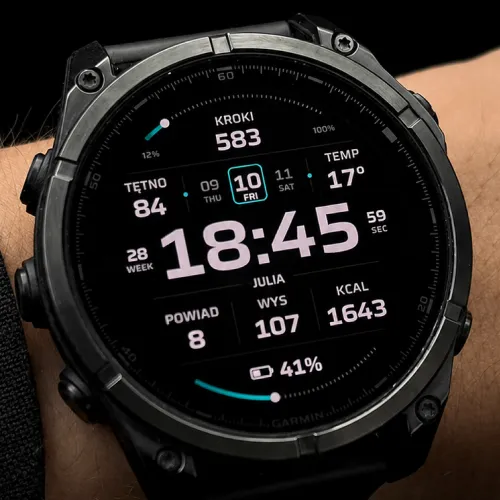
Quipu is an instrument panel for people who like to see everything at a glance. A big, crisp clock sits in the middle. Around it: a three-day calendar strip that keeps yesterday and tomorrow in view, two progress arcs, and seven stat positions you pin yourself. Everything is measured, aligned and legible, engineered like a gauge rather than decorated like a widget.
We designed it in Figma, rebuilt it pixel for pixel in Monkey C, and tuned it on a real wrist over three review rounds before it shipped. It is our own daily face, and it has been updated nine times since launch.
What version 1.5.0 added
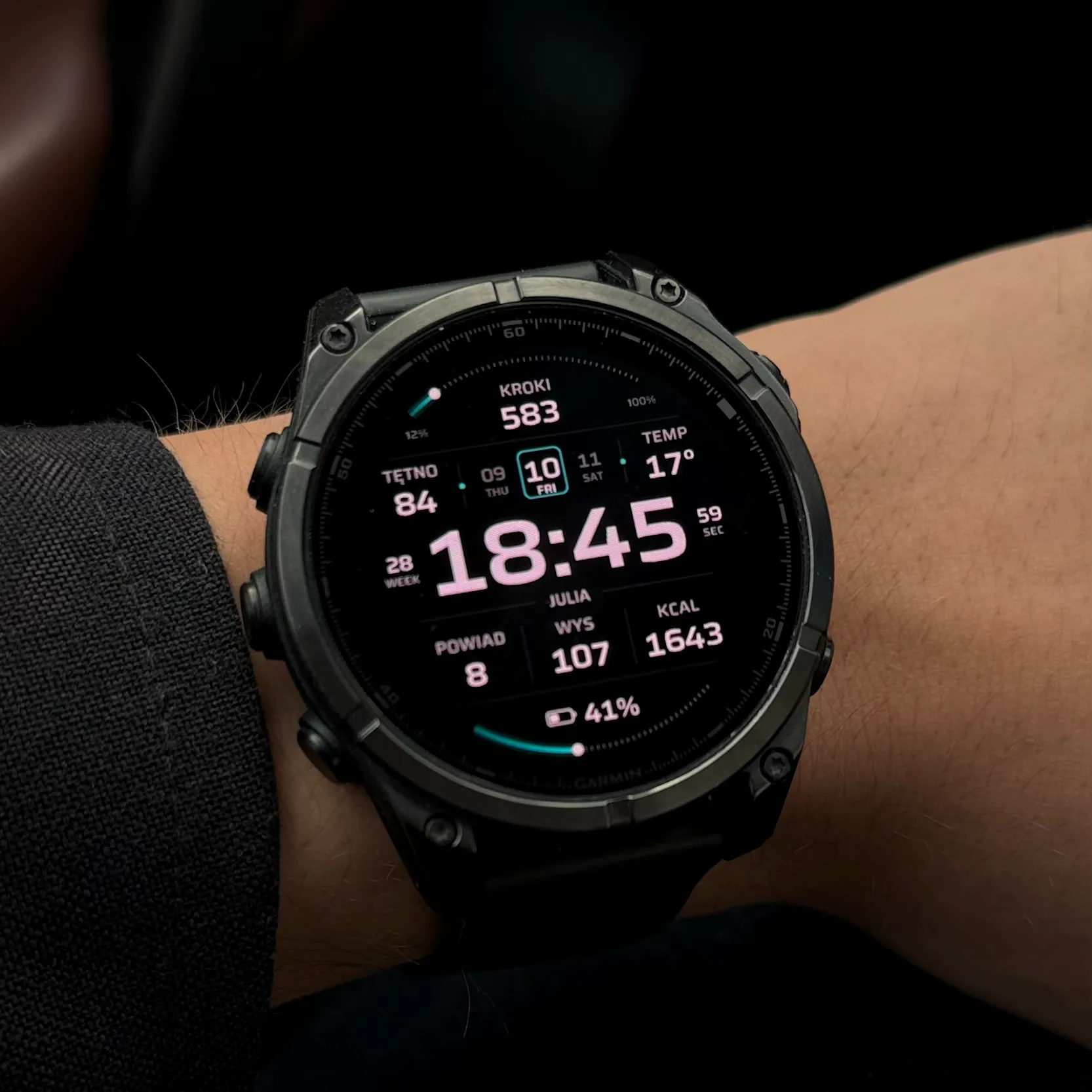
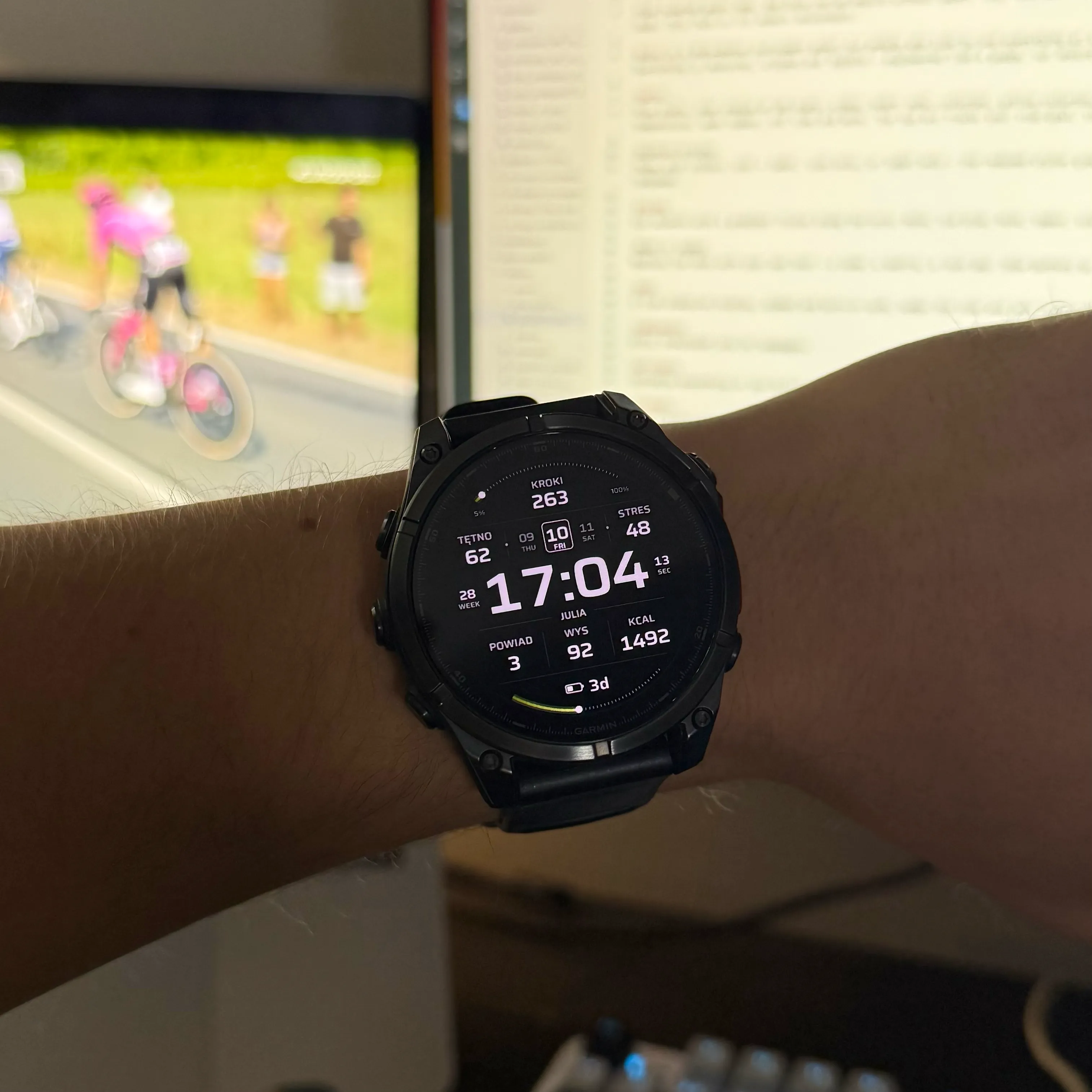
The largest update Quipu has had, released in September 2026. Seventeen new stats, among them sleep score, training status, the next calendar event, today's high and low, ascent and descent, four race predictors and a three-day forecast. A second time zone with 119 cities. Three arc styles and an independent colour for each of the two arcs. Fifteen new accent tones. Both small cells beside the clock became configurable, the clock gained an outlined variant, and the background gained a contour option on AMOLED.
Fixed on the way: Fahrenheit had been rounding down by up to a degree since 1.0, and the no-data dash drew as an empty box on text stats. Both are gone.
The 51 stats
Seven positions take a stat: three large slots along the bottom, two beside the calendar strip, and two small cells flanking the clock. Mix them however you like, or set slots to Empty for a quieter face. Anything your watch cannot measure reads as a dash rather than a wrong number, and the rest of the dial carries on.
| Group | Stats |
|---|---|
| Activity | Steps, distance, calories, active calories, floors up, floors down, ascent, descent, move bar, intensity minutes this week, vigorous minutes, weekly run distance, weekly ride distance, wheelchair pushes, push distance |
| Health and training | Heart rate, resting heart rate, stress, Body Battery, SpO2, respiration, VO2 Max for running and for cycling, recovery time, sleep score, training status, predicted 5K, 10K, half marathon and marathon times |
| Weather and sun | Temperature with a live condition icon, today's high and low, forecast for tomorrow, in two days and in three days, wind, humidity, UV index, sunrise, sunset, next sun event, solar intensity |
| Watch and world | Battery in percent or days, notifications, next calendar event, altitude, pressure, ISO week number, UTC time, a second time zone across 119 cities |
One honest detail: the three bottom slots take all 51. The two cells beside the calendar strip fit four characters, so they take 39 of them, skipping the ones that need a clock format or a wide value: the sun times, the second time zone, the forecast days, training status and the next calendar event. The two cells flanking the clock are smaller still and take seven: seconds, week number, heart rate, temperature, VO2 Max, Bluetooth or Do Not Disturb.
Two arcs, eleven metrics, three styles
Each arc takes its own metric and its own goal: steps, calories, intensity minutes for the week, floors, distance, Body Battery, battery percent, battery days, wheelchair pushes - or daylight, which puts sunrise and sunset at the arc's ends and fills it with how much of the day is left. Leave the goal at 0 and the arc follows your Garmin Connect target. Each arc switches off on its own, and the percentages at its ends with it.
Three styles - ticks, band and blocks - change the character of the rim without touching anything else on the dial.
Colour, weather, always-on
Thirty-one accents from calm pastels to strong reds, plus a custom hex field that accepts any colour of your own. The accent runs along the arcs as a gradient, dark at the start and full strength at the progress marker. Nine elements take their colour separately: the time, your custom text, the date, the top arc, the bottom arc, the marker dot, the stat values, the stat labels and the fine details.
31 ACCENTS ACROSS 9 ELEMENTS · OR TYPE ANY HEX CODE
Weather comes from Garmin's service or from MET Norway, the Norwegian national weather institute, free and with no account. And on AMOLED watches a true always-on mode with three intensity levels keeps the face visible within Garmin's burn-in rules.
Every setting, explained
Everything lives in the Connect IQ app on your phone: your device, then Watch Faces, then Quipu, then Settings. All of it translated into 24 languages. Tap a group to see its options.
Stats
| Setting | Options | What it does |
|---|---|---|
| Stat display | Icon + label / Icon only / Label only | How the slots describe themselves. The reduced styles grow the numbers, so less decoration means easier reading. |
| Stat size | Largest / Larger / Smaller | The type size in the slots. Values auto-fit either way, so nothing ever clips, in any language. |
| Upper left, upper right | 39 stats or Empty | The two cells beside the calendar strip. |
| Left, right (next to the clock) | Seconds / Week / Heart rate / Temperature / VO2 Max / Bluetooth / Do Not Disturb / Empty | The two small cells flanking the clock. Both are configurable since 1.5.0. |
| Bottom left, middle, right | 51 stats or Empty | The three main slots along the bottom. Empty removes a slot cleanly. |
| Second time zone - city | 119 cities | Which city the second time zone stat shows. Daylight saving is handled by the watch. |
Goal arcs
| Setting | Options | What it does |
|---|---|---|
| Arc style | Ticks / Band / Blocks | The look of both arcs. |
| Show top arc / bottom arc | On / Off | Each arc switches off on its own, percentages included. |
| Top arc / Bottom arc | 11 metrics | Steps, calories, intensity minutes, floors, distance, Body Battery, battery, battery days, wheelchair pushes, or daylight. |
| Arc goal | 0 = automatic, or your number | At 0 the arc follows the goal from your Garmin profile. Type a number to set your own target. |
| Show percentages | On / Off | The small figures at the ends of the arcs. |
Date and text
| Setting | Options | What it does |
|---|---|---|
| Date display | 3-day strip / Big date in words / Big date in numbers | The strip keeps yesterday and tomorrow in view. The two big styles enlarge the date into a bold panel, the most requested change from our users. |
| Show text row under time | On / Off | Shows or hides the text line under the clock. |
| Custom text | Your own words | Replaces the date text with a name, a mantra, a race day. |
Colours
| Setting | Options | What it does |
|---|---|---|
| Custom colour (hex) | Any hex code | Your own colour, then available to every element below as “Custom hex”. |
| Time colour | 31 accents + Default + Custom hex | The clock. |
| Custom text colour | 31 accents + Default + Custom hex | The text row under the clock. |
| Date colour | 31 accents + Default + Custom hex | The calendar strip or the big date. |
| Top arc / Bottom arc colour | 31 accents + Default + Custom hex | Each arc takes its own colour; the bottom one can also simply follow the top. |
| Marker dot colour | 31 accents + Default + Custom hex | The progress marker on the arcs. |
| Details colour | 31 accents + Default + Custom hex | Slot markers, outlines and the fine structural lines. |
| Stat values / Stat labels | 31 accents + Default + Custom hex | Numbers and their captions, coloured separately. |
Screen and clock
| Setting | Options | What it does |
|---|---|---|
| Background | Dark / Light (MIP only) / Contours (AMOLED only) | Dark everywhere by default. Light exists on MIP, the contour pattern on AMOLED. |
| Always-on display | Low / Medium / High | Low is time and text; Medium adds the calendar and battery; High is the full dial, dimmed. |
| Show seconds | Off / On wake (5 s) / Always on | On wake shows live seconds for a few moments after you look, the battery-friendly middle ground. |
| Time format | Auto / 12h / 24h / 1430 | Auto follows the watch system setting. 1430 is 24-hour with no colon. |
| Outlined clock | Off / In always-on only / Always | Hollow digits instead of solid ones. |
| Show divider lines | On / Off | Hide them for a fully clean dial. |
| Leading zero hour | On / Off | 07:30 versus 7:30. |
| Weather source | Garmin / MET Norway | Where temperature, the forecast, wind, humidity and UV come from. |
On the watch vs on the phone
On watches with Garmin's on-device editor (Fenix 8 and E, Venu 3 and 4, Vivoactive 5 and 6, Forerunner 570 and 970, Enduro 3, Instinct 3 AMOLED and other 2023+ models), hold the watch face and choose Customize to switch the accent and the stat style without touching the phone. Everything else, including which stat goes where, is set in the Connect IQ app. Older watches use the app for all settings, which takes the same few taps.
Works on
Quipu supports 74 Garmin models across both display types, including the Fenix 9 line. The full list is on the store page; by family:
| Family | Models |
|---|---|
| Fenix | Fenix 9 (43, 47, Pro 43, Pro 47, Pro 51, Pro Solar 47, Pro Solar 51), Fenix 8 (43, 47, Solar 47, Solar 51), Fenix 8 Pro 47, Fenix E, Fenix 7 series (7S, 7, 7X, Pro), Fenix 6 series (6S, 6, 6X, Pro) |
| Forerunner | 165, 170, 255, 265, 570, 70, 955, 965, 970 |
| Venu / Vivoactive | Venu, Venu 2 (2S, 2 Plus), Venu 3 (3S), Venu 4 (41, 45), Vivoactive 4, 5, 6 |
| Epix / Enduro | Epix Gen 2 (42, 47, 51, Pro), Enduro, Enduro 3 |
| Instinct | Instinct 3 AMOLED (45, 50), Instinct Crossover AMOLED |
| Specialty | MARQ Gen 2 and Aviator, Approach S50, S70 (42, 47), Descent G2, Mk2, Mk2S, Mk3 (43, 51), D2 Air X10, D2 Mach 1, Mach 2, Mach 2 Pro |
On AMOLED the face renders in full colour with the gradient arcs. On MIP panels (Fenix, older Forerunners) the background stays black and each accent maps to the nearest tone the 64-colour display can show. We compile and test against the weakest supported model first, so the face behaves the same on a Fenix 6S as on a Fenix 8.
The honest fine print
Not every watch can show every stat, and we would rather say so here than have you find out after paying. Three of the oldest 96 KB models - Fenix 6S, Fenix 6S Pro and Descent Mk2S - do not have the memory for the seventeen stats added in 1.5.0, the second time zone, the per-arc colours or the outlined clock; their settings simply omit those rows, and they get the rest of the composition. Seven more on older firmware - Descent Mk2, Enduro, Fenix 6, 6 Pro, 6X Pro, Venu and Vivoactive 4 - lack Garmin's Complications service, so sleep score, training status, the next calendar event and the race predictors do not reach them; they keep the high and low, ascent, descent, the forecasts, solar and cycling VO2 Max.
Weather and UV need your phone within Bluetooth reach now and then; without it the last known values stay on screen. Sunrise and sunset use your last GPS position. Active calories are our estimate (total burn minus your resting metabolism), which can differ slightly from the number in Garmin's own widget, a platform limitation every Connect IQ face shares. And on MIP displays the softest pastel accents lose some of their subtlety to the 64-colour palette; the stronger accents translate best.