Fenix 8
Garmin’s flagship comes in two display families: AMOLED on the standard 43, 47 and 51 mm, MIP on the Solar editions. Every watch face behaves differently across that split, so we cover both.
The display, per variant
The single most important fact about any Garmin for watch faces: what screen it has. MIP variants are always-on and sunlight-first with a limited palette; faces need dedicated MIP rendering to look right.
| Variant | Display | Resolution | Character |
|---|---|---|---|
| 43 mm (AMOLED) | AMOLED | 416 × 416 | sharp AMOLED, full color |
| 47 / 51 mm (AMOLED) | AMOLED | 454 × 454 | the largest round AMOLED Garmin makes |
| Solar 47 mm (MIP) | MIP | 260 × 260 | transflective, always readable in sun |
| Solar 51 mm (MIP) | MIP | 280 × 280 | transflective, always readable in sun |
Changing the face on the Fenix 8
Hold UP (the middle-left button), then select Watch Face, scroll, confirm with START. New faces come from the Connect IQ store app on your phone; the install guide covers that end, and the per-model switching guide covers every other Garmin.
Our faces on the Fenix 8
Ours, so we are biased; every claim below is verifiable on the store page.
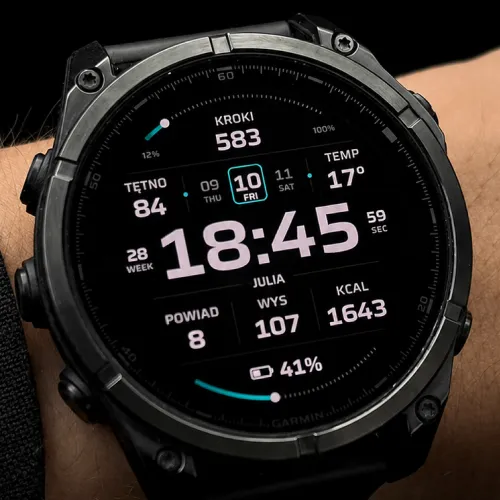
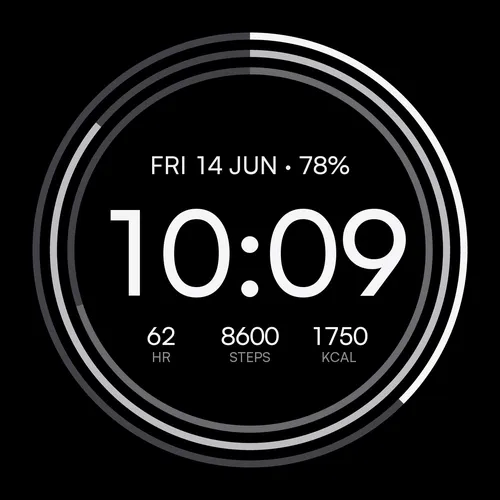
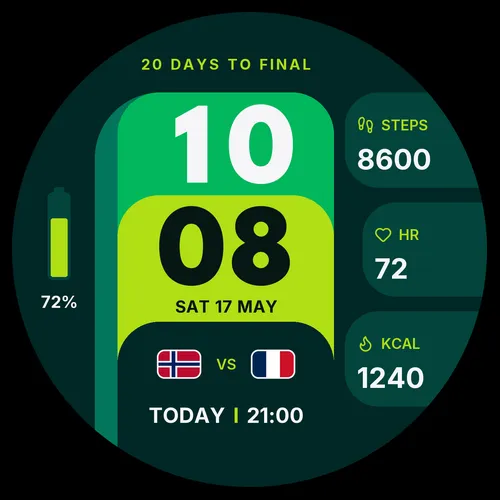
Beyond ours: the full catalogue for this watch lives in the Connect IQ store.
Frequently asked
Do Connect IQ faces work on the Fenix 8 Solar editions?
Does an always-on face hurt the Fenix 8 battery?
Last verified: 2026-07-18 · SDK 9.1.0 device data + our face manifests + Fenix 8 47mm on the wrist